Debunking the Eye-AF “Eyelash Bug”: Why Your Camera Isn’t Actually Missing the Iris
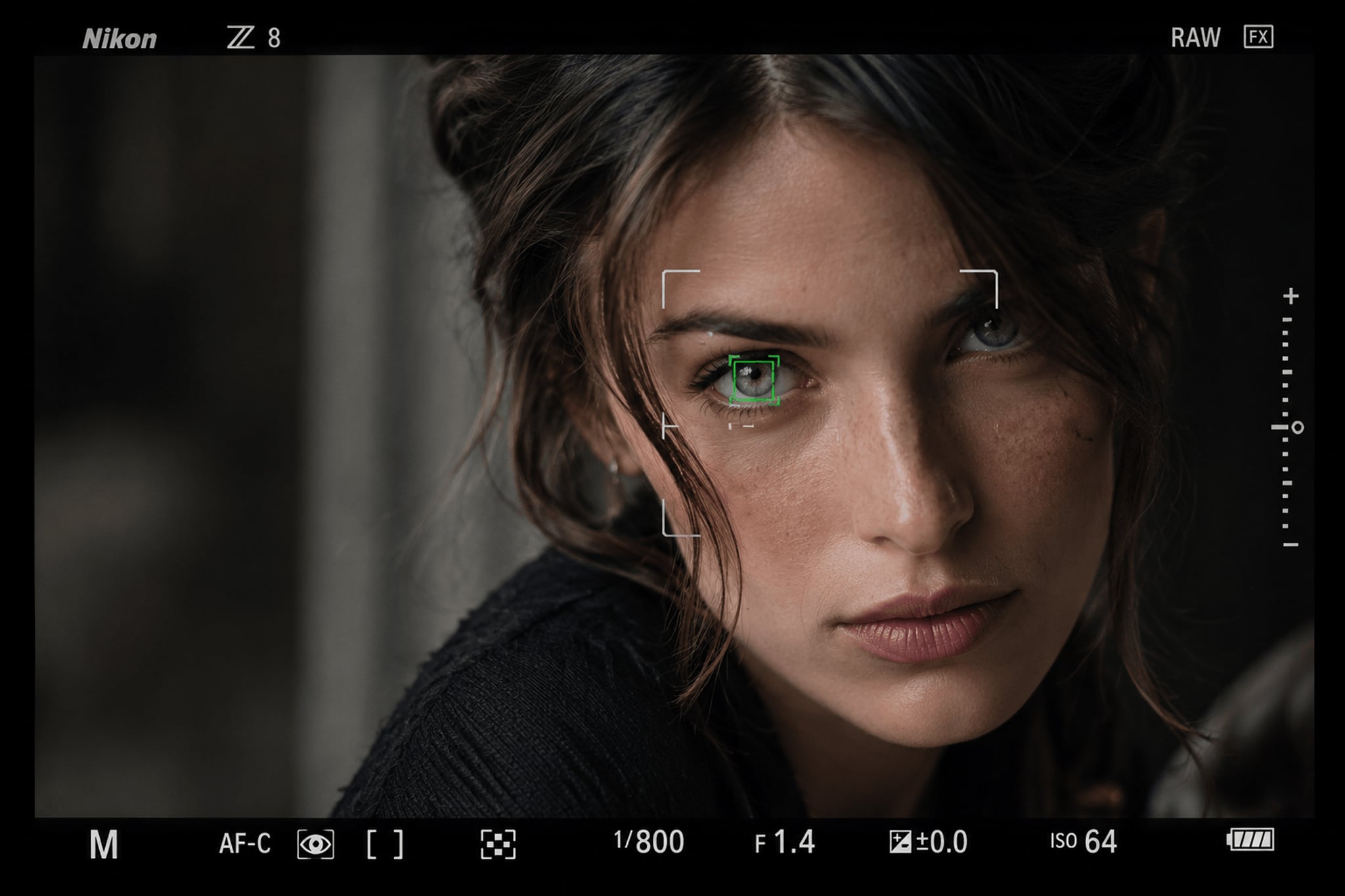
Every portrait photographer working with razor-thin depths of field at f/1.2, f/1.4, or f/1.8 has experienced it: you review your files at 100% zoom, only to find that Eye-AF has pinned focus squarely on the eyelashes while leaving the iris slightly soft.
While this issue is frequently discussed in forums as a “Nikon Z bug,” my real-world testing across multiple camera systems (including Sony and Fujifilm) reveals that this isn’t a brand-specific defect, nor is it a glitch in subject recognition algorithms. It is a predictable behavior caused by a specific combination of optical parameters, AF box mechanics, subject facial anatomy, and sensor architecture.
Once you understand the physics behind it, the issue becomes entirely avoidable.
The Testing Ground: An Unusual Pattern
While testing my Nikon Z8 paired with a native mount 85mm lens, I noticed a curious anomaly while photographing my partner. She has fair skin, light eyes, dark eyelashes, and prominent facial structure.
The focus consistently locked onto her eyelashes rather than her iris, predominantly on her right eye, and almost exclusively when shooting in portrait orientation.
To isolate the variable, I conducted a series of controlled tests, analyzed my past archives, and cross-referenced RAW files from fellow photographers under specific instructions. The results were telling:
- When my partner photographed me: 100% tack-sharp on the iris.
- When I photographed other subjects: 100% tack-sharp on the iris.
- When I shot in landscape orientation: Zero issues.
- When using 3D-Tracking + Eye-AF or Auto-Area AF on other subjects: Zero issues.
The issue occurred under a very specific set of circumstances.
The Root Cause: It’s Not the Eyelashes, It’s the Eyebrow
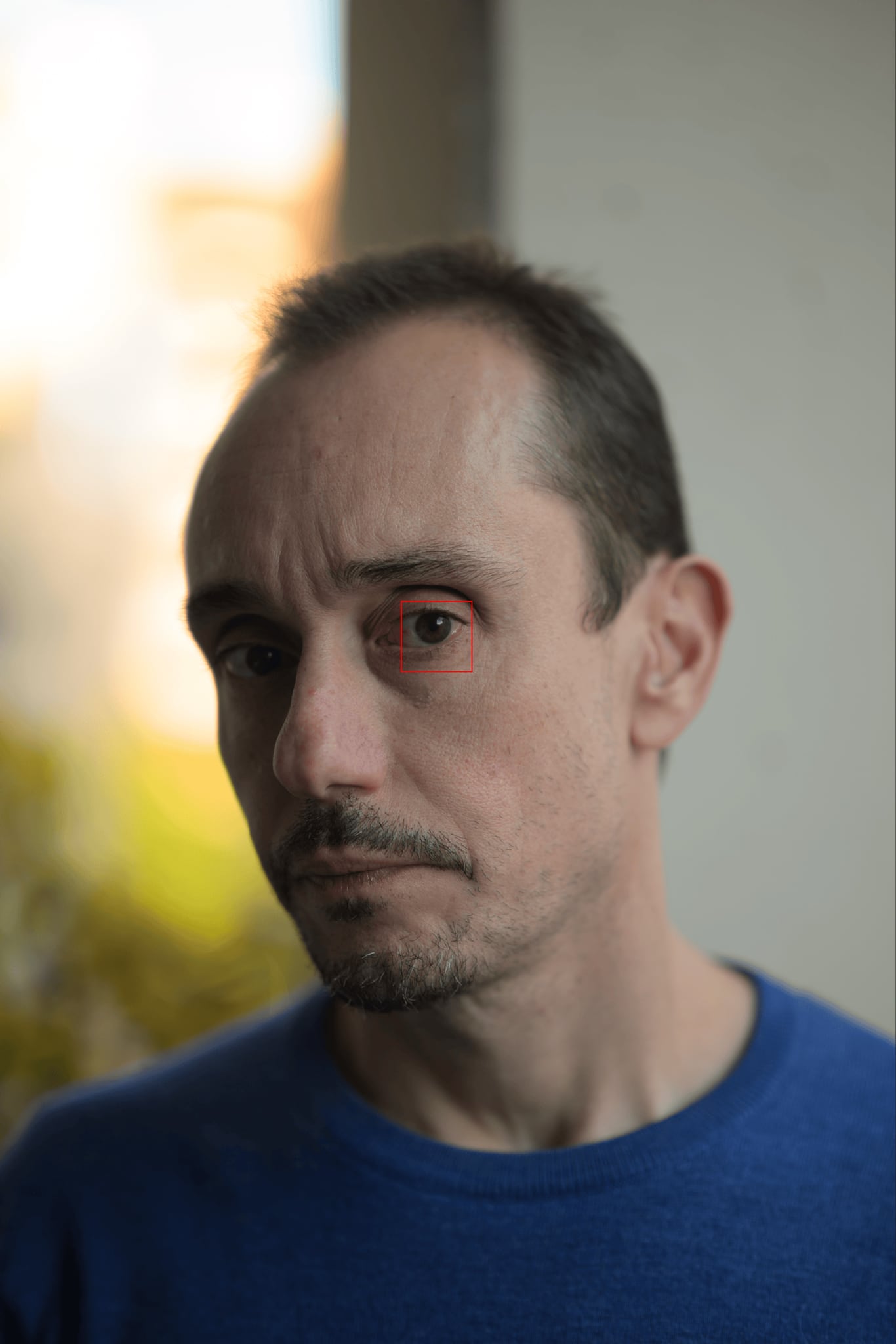
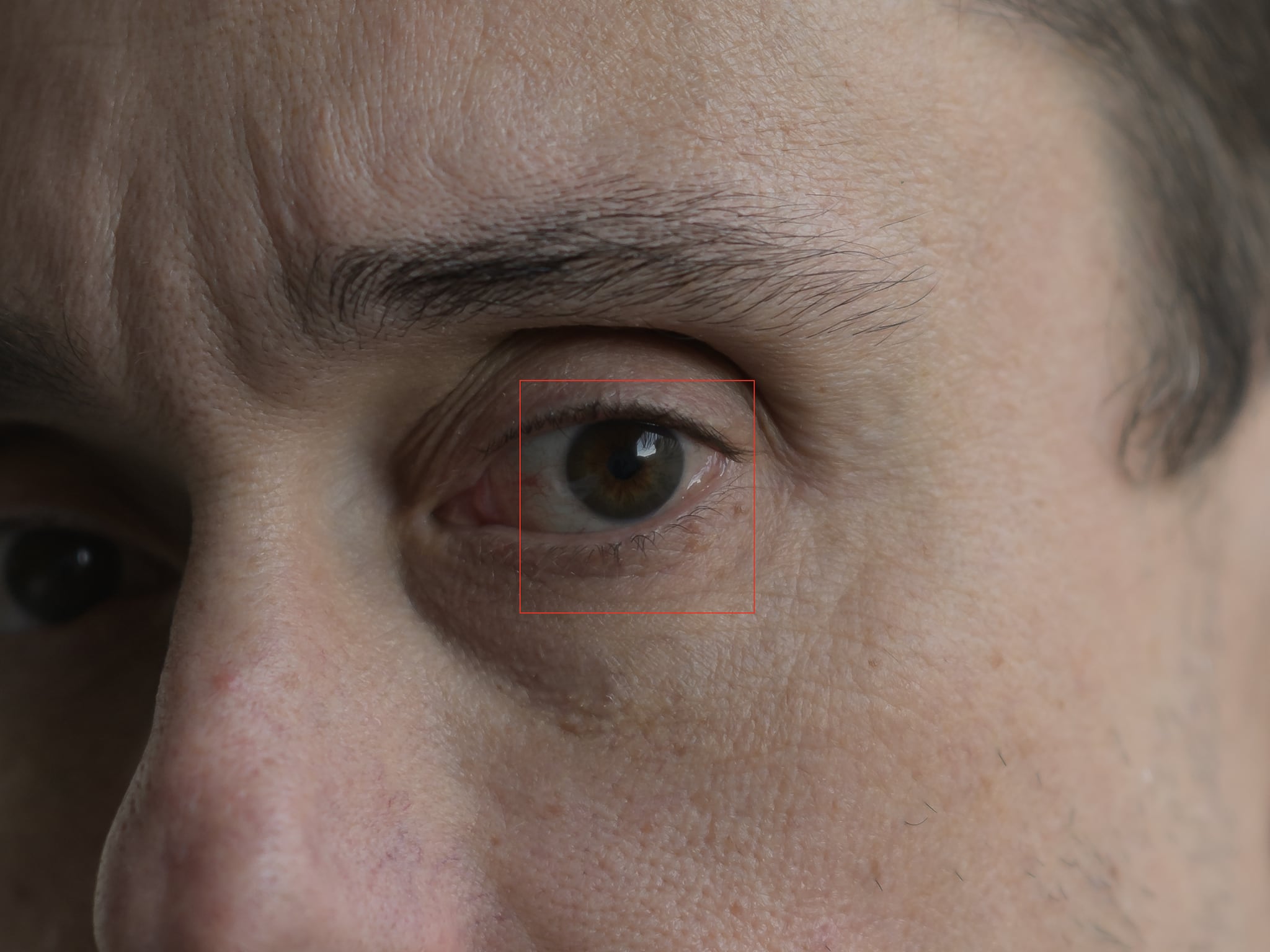
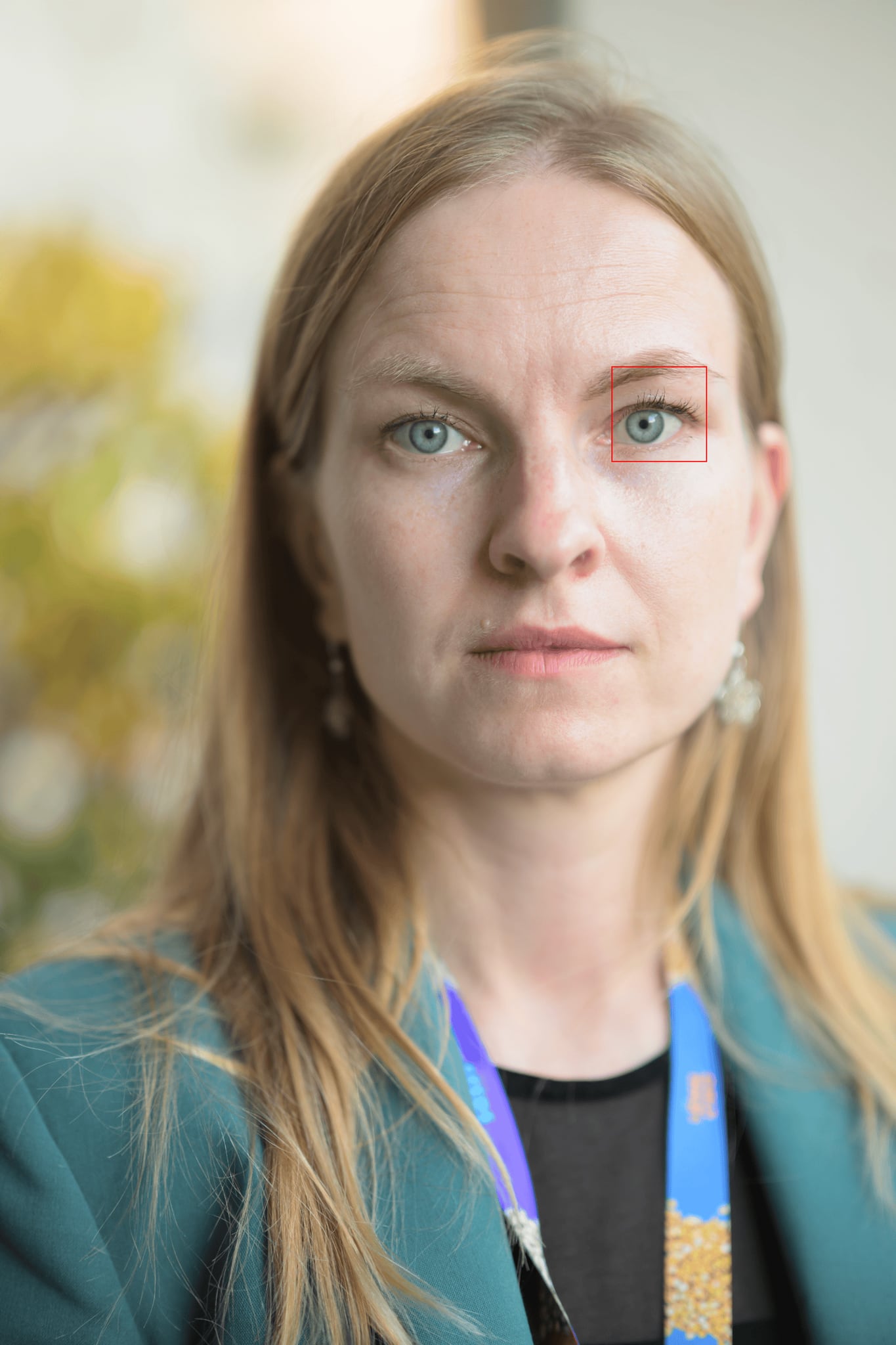
The common consensus assumes the AF algorithm gets tricked by high contrast between dark eyelashes and fair skin within the AF target box. However, close inspection of the focus point overlay revealed something far more specific.
AF points do not evaluate contrast strictly in the geometric center of the target box; contrast detection evaluates the entire area covered by the box, including its outer edges and corners.
When shooting tight portraits in vertical orientation with a shallow depth of field:
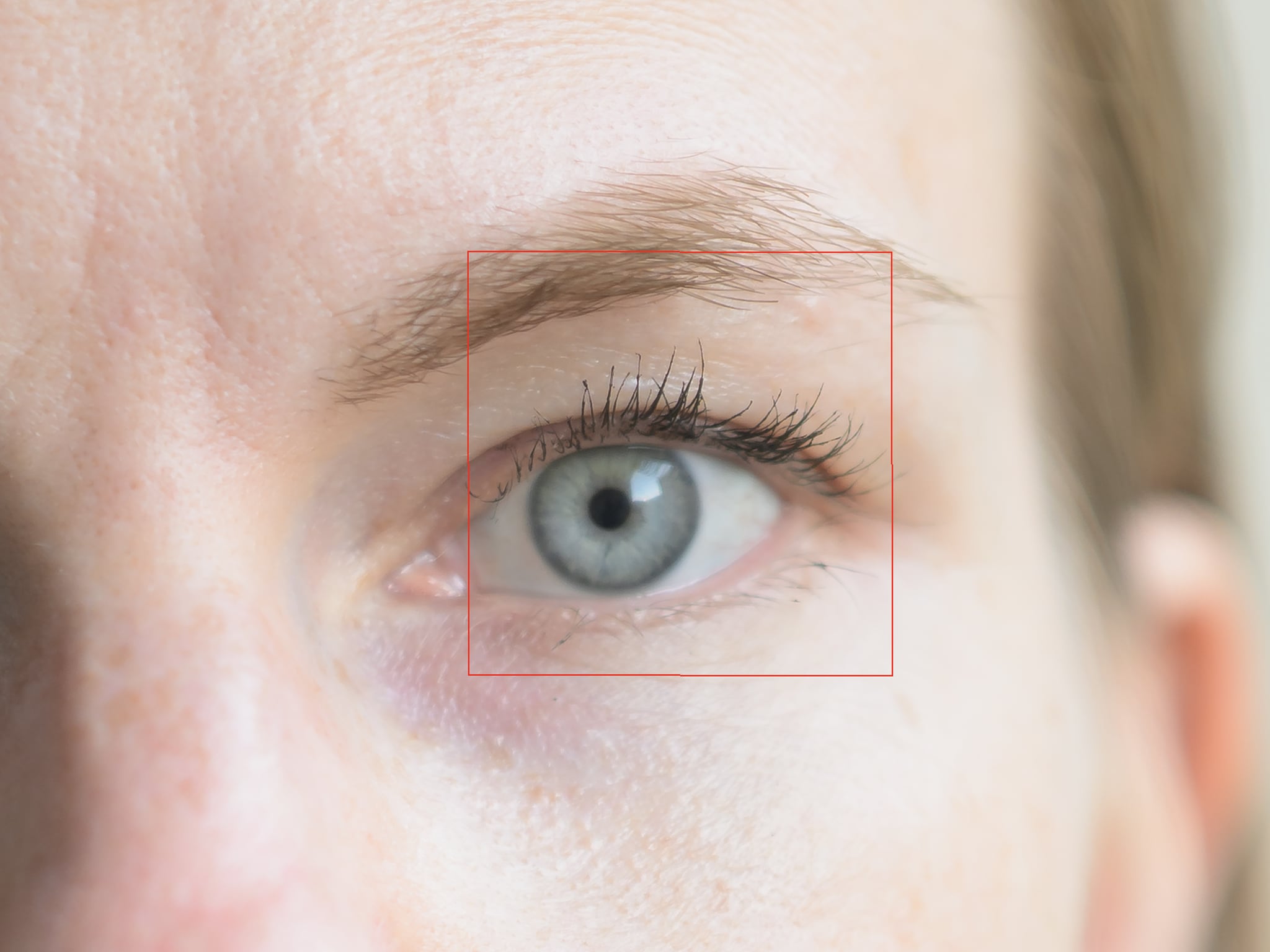
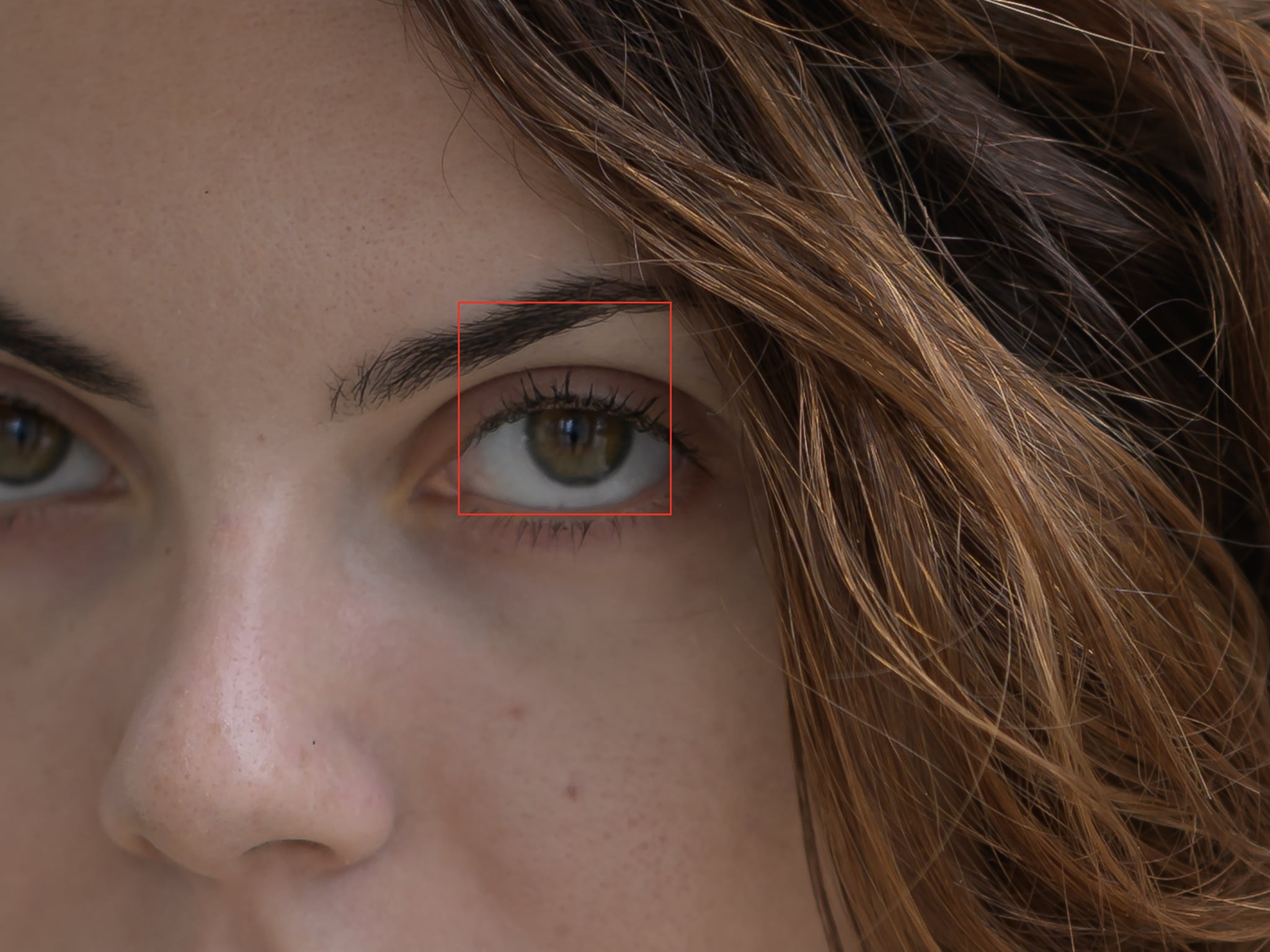
- The Eye-AF box scaled around the eye was large enough that one of its upper corners slightly overlapped or clipped the brow bone (eyebrow).
- Because the eyebrow presents high contrast, the AF contrast-detection routine locked onto the eyebrow hair.
- The eyebrow line and the eyelashes sit on virtually the same sagittal plane relative to the camera sensor.
The camera wasn’t focusing on the eyelashes: it was focusing on the high-contrast eyebrow along the top edge of the AF box. Because the iris lies slightly recessed within the eye socket behind the plane of the eyebrow, the iris fell just outside the hyper-thin depth of field.
Sensor Orientation and Phase-Detection Limitations
To fully grasp why this happens predominantly in vertical (portrait) orientation, we have to look at mirrorless sensor design.
Unlike DSLRs, which utilized cross-type AF sensors capable of detecting contrast patterns horizontally and vertically, most mirrorless sensors rely on linear Phase Detection Auto Focus (PDAF) pixels oriented horizontally across the sensor.
When you rotate the camera 90 degrees into portrait mode:
- Phase Detection rapidly drives the lens element to the approximate distance of the target area.
- Contrast Detection takes over to fine-tune the focus by hunting for the highest contrast edge within the active AF box.
- Because linear AF pixels lose orientation sensitivity when rotated, high-contrast horizontal lines (like an eyebrow) become the path of least resistance for the AF engine.
When you combine working distance, extreme aperture (f/1.4f/1.4), facial geometry with a prominent brow ridge, and vertical camera orientation, you create the exact conditions for this optical phenomenon to occur.
How to Prevent It Today
Now that we understand the logic behind the behavior, avoiding it requires only minor adjustments on set:
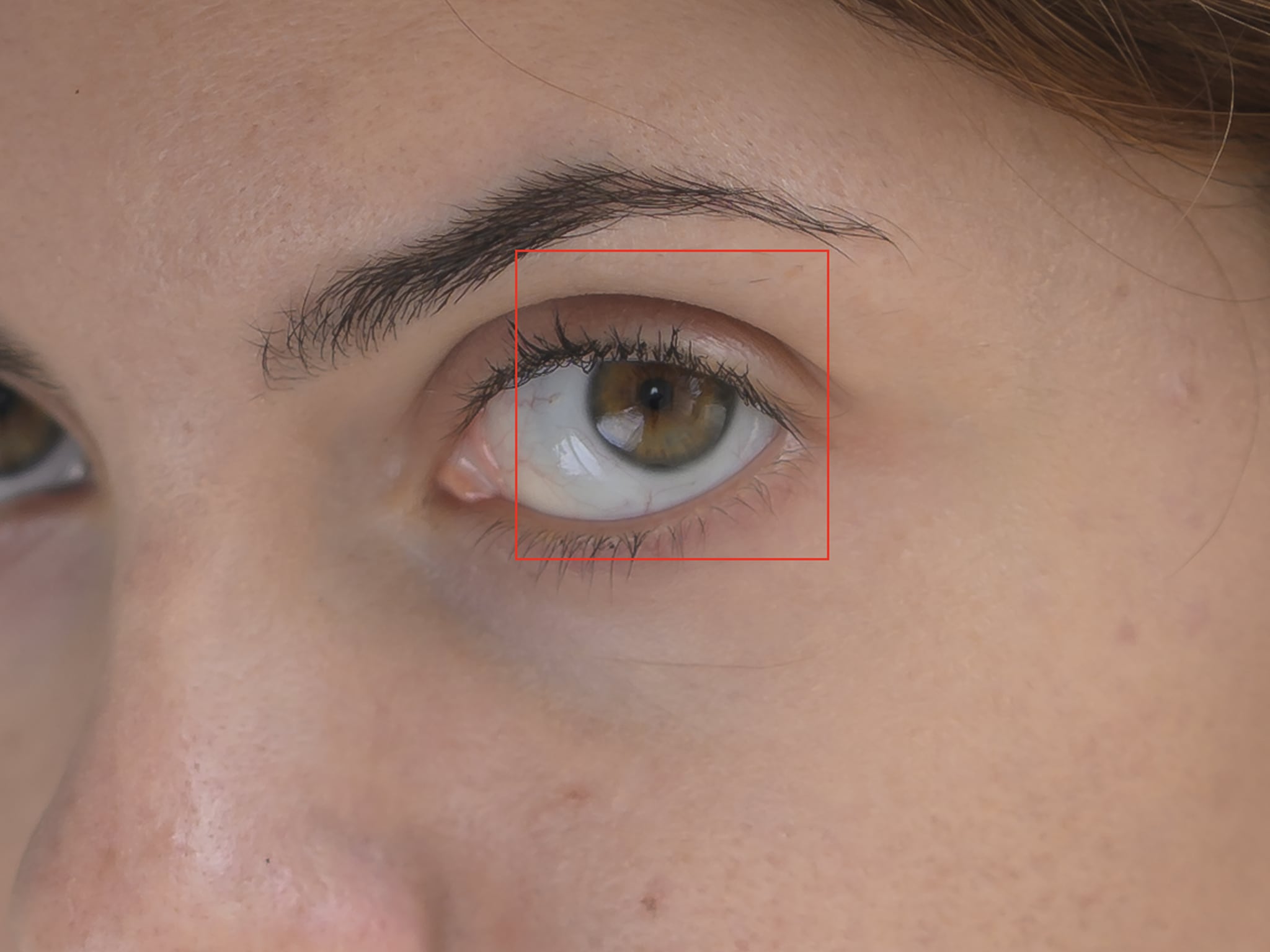
- Mind the AF Box Boundaries: Ensure the Eye-AF box is not clipping or overlapping the eyebrow line. Slightly adjusting your framing or stepping back marginally keeps the eyebrow outside the target area.
- Stop Down Slightly for Tight Headshots: At close working distances, the plane of focus at can be less than a millimeter deep. Stopping down to or provides enough depth-of-field buffer to cover both the eyelashes and the iris simultaneously without sacrificing background separation.
- Re-orient for Precision: If an anatomical feature forces the AF box over the eyebrow in portrait orientation, switching briefly to single-point AF or re-framing slightly eliminates the edge-contrast takeover.
A Note for Manufacturers
While this is an understandable physical behavior rather than a defect, resolving it permanently via software would be relatively straightforward.
Camera manufacturers could easily address this in future firmware updates by reducing the bounding box dimensions for Eye-Detect by approximately 10%, forcing the contrast-detection sampling area to remain tightly constrained within the sclera and iris, safely clear of the eyebrow line.
Until then, understanding how your sensor reads contrast gives you full control over your equipment—allowing you to adapt on set and ensure critical sharpness where it matters most.
Follow me on Instagram!